
Go to Settings -> Wallets -> Choose your wallet -> More Options -> Export Wallet -> File/Text -> Set up a password -> Download.
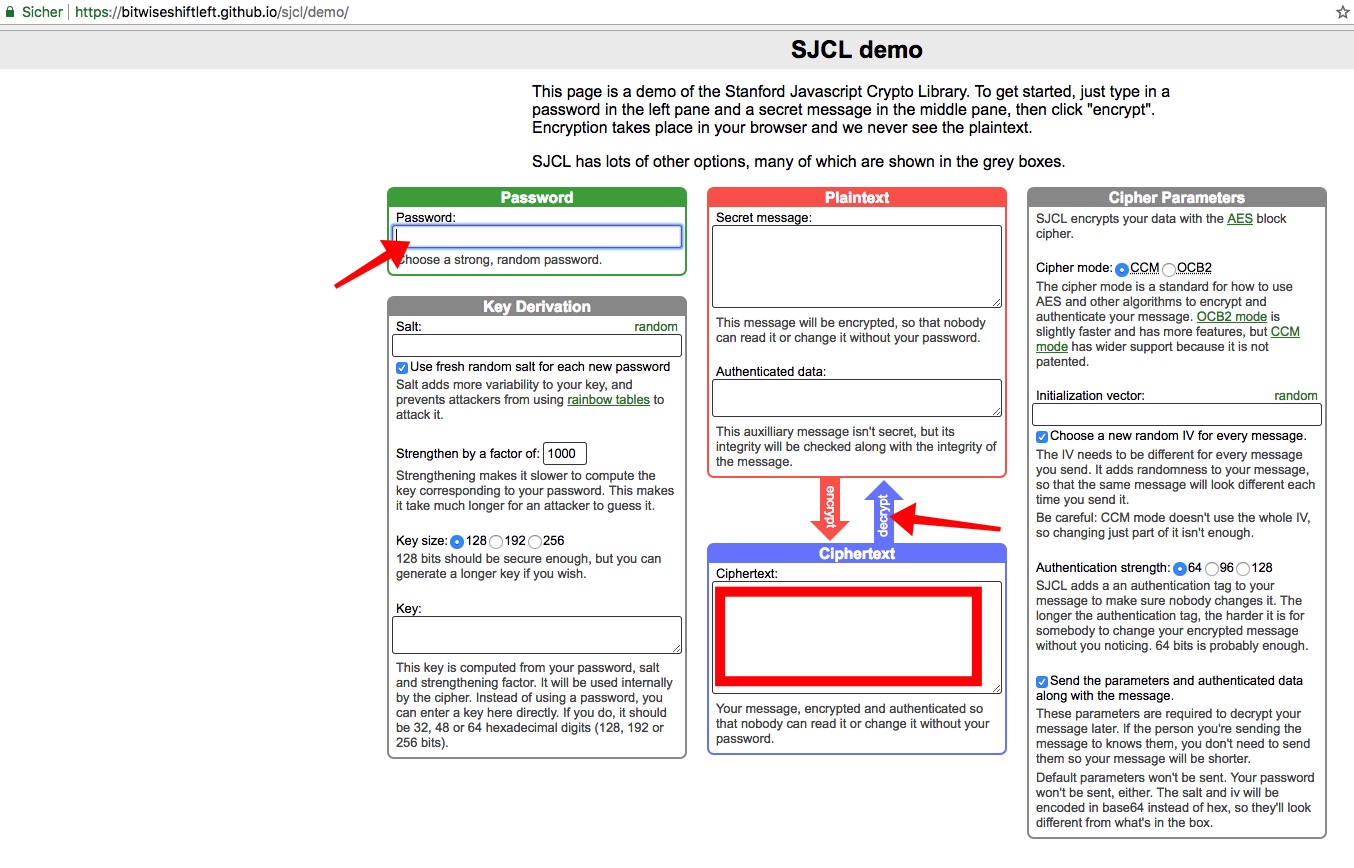
- Then, go to https://bitwiseshiftleft.github.io/sjcl/demo/.
- Open your file and copy the entire text.
- Paste the text in Ciphertext text area.
- Enter your password on the Password input. (This password is the one that you will enter in Copay/BitPay) . Then click “decrypt.” In the Plaintext text area you will now find the xPrivKey.
oder
Einstellungen > Bitcoin Wallet / das entsprechende Wallet auswählen > weitere Optionen > Wallet-Informationen > Verlängerter privater Schlüssel > Passwort eingeben > In die Zwischenablage kopieren
Nun kann der Schlüssel in z. B. eine neue Notiz oder Email eingefügt werden.