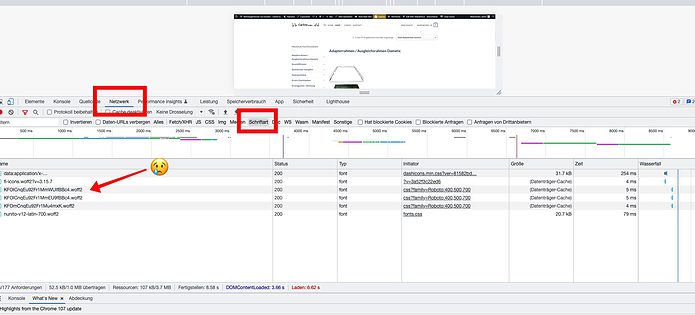
It’s easy to check if your site is loading fonts from a third party source (check 2nd screenshot above):
- Open the dev tools (Cmd + Opt + I on Mac or F12, or Ctrl + Shift + I on Windows)
- Go to the Network tab and select the Fonts type
- Reload your page to see all fonts loaded on your site.
- Check the Domain column if it contains domains from a third party (Google is fonts.gstatic.com)
If you host your fonts locally with Local Google Fonts there should be no fonts loaded from the Google servers.