Große Datenbank und Content umziehen (WordPress Providerwechsel)

Use Adminer (Single PHP file)

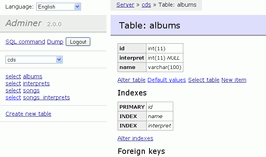
If you don’t have SSH access (or prefer working in the browser), use Adminer. Unlike phpMyAdmin, you place this small script directly on your own webspace. There, you can bypass the strict timeout of the central phpMyAdmin server and let the server read the file directly from the webspace instead of uploading it through the browser.

1.Download Adminer and unpack SQL:

  • Download the single PHP file from the official website adminer.org and rename it to adminer.php.
  • Unpack your d03cba30.sql.zip locally on your PC and rename the unpacked .sql file to adminer.sql (this exact name is important so that Adminer finds the file on the server).

Verification: You now have two files on your PC: adminer.php and adminer.sql.

2.Upload files via FTP:

Upload both files (adminer.php and adminer.sql) via FTP directly into the root directory of your website on Lima-City (where your WordPress files are located). (Tip: Before proceeding, make sure to drop any existing tables in db_464425_1 via phpMyAdmin so the database is empty).

Verification: Both files are in the same folder on the server.

3.Execute import from webspace:

Open [https://your-domain.de/adminer.php](https://your-domain.de/adminer.php) in your browser and log in:

  • System: MySQL
  • Server: mysql.lima-city.de
  • Benutzer: Your database username (e.g., db_464425_1)
  • Passwort: Your database password
  • Datenbank: db_464425_1

Click on Importieren in the left menu. Under the „Von Server“ (From server) section, you will see the path adminer.sql pre-filled. Simply click on Ausführen (Execute) right next to it. Since the file does not have to be uploaded and unpacked via the browser first, the import runs significantly faster.

Verification: Adminer displays how many queries were executed. Important: Immediately delete adminer.php and adminer.sql via FTP afterwards so that no one has access to your database!

(Note: Even when importing directly in phpMyAdmin, simply uploading the unpacked .sql file instead of the .sql.zip often helps with smaller databases, because unpacking the ZIP archive eats up a large part of the PHP execution time).


Content umziehen und per SSH entpacken


  • Archiv vom Content von entsprechendem FTP‑Verzeichnis erstellen
  • über FTP oder Filemanager das ZIP-Archiv in die Root hochladen 
  • Unter https://www.lima-city.de/usercp/ssh_accounts kannst Du mittlerweile einfach einen SSH-Account erstellen, auf „Konsole öffnen“ klicken und in das Verzeichnis, in dem die ZIP-Datei liegt navigieren (falls die ZIP im Ordner carlineshop.wohnwagen-fenster.com liegt):

    cd /carlineshop.wohnwagen-fenster.com

    Wenn man das ZIP in die Root geparkt hat, dann muss man den cd-Befehl nicht ausführen.
    Anschließend kannst Du den Entpack-Befehl ausführen:

    unzip archivname.zip